Everything a program needs to run a team fundraiser on SnapStats. Your team keeps 100% of what your community donates (minus only the standard card fee), and the whole thing costs a flat $99, or nothing upfront. This page walks the actual steps.
Before you start: who does what
There are two roles, kept separate on purpose:
- Program Admin (coach, athletic director, or booster/team lead). Creates the campaign, connects the bank, activates it, and is the only person who sends outreach to phones and inboxes.
- Family (a parent, working their own athlete's page). Builds their own supporter contacts and proposes messages; the Program Admin approves and sends.
One team, one sending identity. It keeps messaging consistent and keeps the program compliant.
Part A: Program Admin
Step 1. Connect the club's bank (one time)
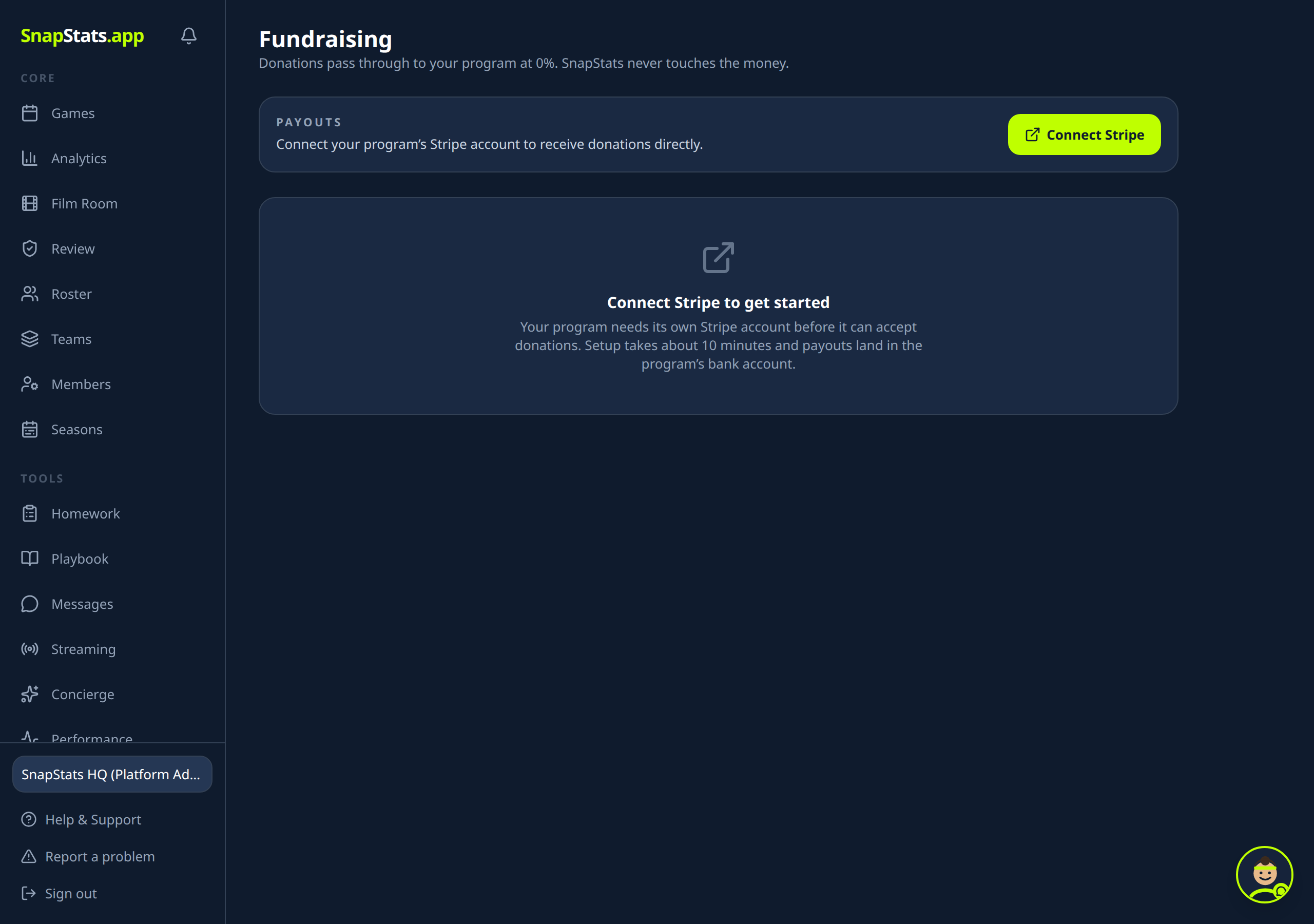
Open Fundraising in the left menu and click Connect Stripe. This is a one-time setup for the whole program (about 10 minutes; you will need the club's business name, EIN, and bank details). Donations then land directly in this account. Nothing can collect money until this is done.
Step 2. Create the campaign
Choose New Campaign and fill in:
- Title (for example, "Fall Season Travel Fund")
- Description, what the money pays for and why it matters
- Goal in dollars
- Team, which team it is for, or the whole program
Saving it creates the campaign and automatically generates a personal page for every athlete on that team. You never build those by hand.
Step 3. Cover the $99, or defer it
Two choices on the campaign screen:
- Pay the $99 now by card, or
- Launch with no upfront cost. The $99 is recovered out of the first donations, then the fee drops to zero for the rest of the campaign. If the campaign never raises anything, the team never owes anything.
Paying the fee does not start the campaign. Activation is a separate step, so a payment never makes a half-ready campaign go live by accident.
Step 4. Activate
When it is ready, click to activate. The public campaign page and all the athlete pages go live and can accept donations. You can pause and re-activate any time.
Step 5. Send outreach
Open the campaign's Outreach panel. From here you:
- See the supporter list the campaign is building (pulled from your rosters and parent links, plus any contacts families add).
- Compose a blast: pick channels (Email, Text, Push), write a subject and message, and send.
- Watch it go out and see the history of past sends.
Every campaign includes 500 text messages with the $99. Texts are metered against that allowance, and anyone who has opted out is skipped automatically. You do not manage that by hand.
Step 6. Share the links
Copy the campaign link and hand out the athlete links. The athlete pages are where team fundraising performs best, players sharing their own page with their own circle.
Step 7. Watch it run
The campaign screen shows donations landing in real time, the total against your goal, and (if you deferred the fee) how much of the $99 has been recovered. Donations are already in the club's own account. There is no payout to wait for and no middleman to reconcile with.
Part B: Family (per athlete)
Open the campaign and you will see your own athlete's page. From there you can:
- Add your supporter contacts, grandparents, neighbors, family friends. These stay private to your athlete; you cannot see other families' contacts.
- Propose a message using the composer.
You do not send directly. When you submit a message it becomes a request to the Program Admin, who approves and sends it from the one team identity. You will see your request's status (pending, sent).
That is the line: families do the personal outreach (your contacts, your words), and the program controls the actual send.
Good to know
- Opting out is automatic. Anyone who replies STOP to a text is suppressed everywhere from then on.
- Heavy texters can add credits. If a campaign sends a lot of texts, the admin can add a $30 pack of 500 more (also deferrable out of donations). It is priced at cost.
- The $99 is per campaign, not per athlete, no matter how many players or how much you raise.
- Card processing is separate. The card networks take about 2.9% + 30 cents on any online donation. SnapStats adds nothing on top of that.
The short version
Admin: connect the bank once, create the campaign, cover or defer the $99, activate, send outreach, share links, watch donations land in your own account. Family: add your own supporters, propose your message, the coach sends it.